
Kia Cee'd: Front Seat / Front Seat Cushion Cover Repair procedures
Kia Cee'd JD Service Manual / Body (Interior and Exterior) / Front Seat / Front Seat Cushion Cover Repair procedures
| Replacement |
|

|

| 1. |
Remove the front seat shield inner cover.
(Refer to Front Seat - "Front Seat Shield Inner Cover")
|
| 2. |
Remove the front seat shield outer cover.
(Refer to Front Seat - "Front Seat Shield Outer Cover")
|
| 3. |
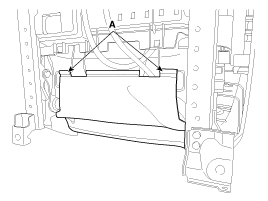
Remove the front seat lower protector (A).
|
| 4. |
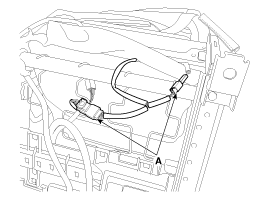
Disconnect the front seat heater connectors (A).
|
| 5. |
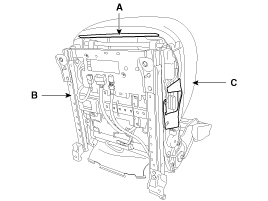
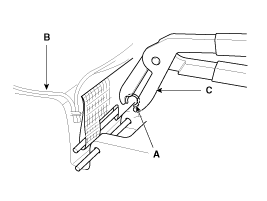
Push the protecter (A), and then front seat cushion cover (C) from the
front seat frame (B).
|
| 6. |
Remove the front seat cushion cover (A) from the front seat frame.
|
| 7. |
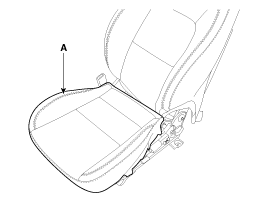
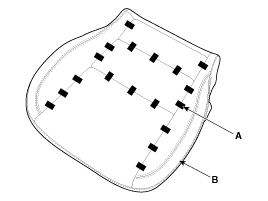
After removing the hog-ring clips (A) on the rear of seat cushion and
remove the front seat cushion cover (B).
|
| 8. |
Install in the reverse order of removal.
|

 Front Seat Cushion Cover Components and components location
Component Location
1. Front seat cushion cover
...
 Front Seat Frame Assembly Components and components location
Component Location
1. Front seat back frame assembly
2. Front seat cushion frame assembly
...
Other information:
Kia Cee'd JD Owners Manual: Warnings and indicators
(Instrument cluster)
All warning lights are checked by turning
the ignition switch ON (do not start the
engine). If any light that does not illuminate,
we recommend that the system be
checked by an authorized Kia dealer.
After starting the engine, check to make
sure that all warning lights are off. If any
a ...
Kia Cee'd JD Service Manual: Drive Belt Repair procedures
Removal
1.
Disconnect the battery negative terminal.
2.
Loosen the alternator tension adjusting bolt (A) to loosen tension.
3.
Remove the drive belt (A).
Inspection
...
© 2017-2026 www.kceed.com
