
Kia Cee'd: Floor Console / Floor Console Assembly Repair procedures
| Replacement |
|

|

| 1. |
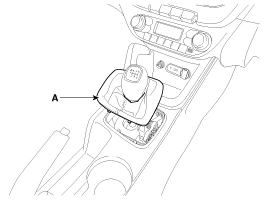
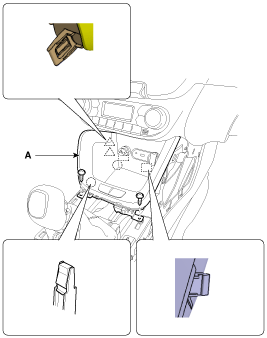
Disconnect the gear boots (A).
|
| 2. |
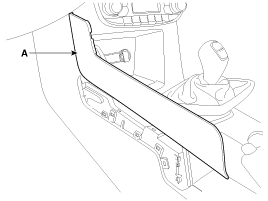
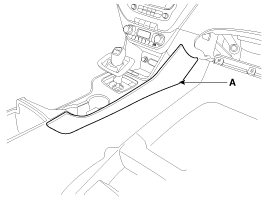
Using a screwdriver or remover, remove the console garnish (A).
[LH]
[RH]
|
| 3. |
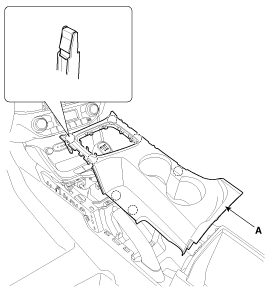
Using a screwdriver or remover, remove the console upper cover (A).
|
| 4. |
After loosening the mounting screws, then remove the console tray (A).
|
| 5. |
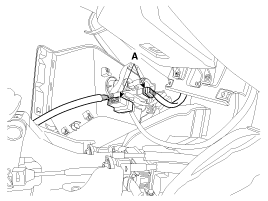
Disconnect the connectors (A).
|
| 6. |
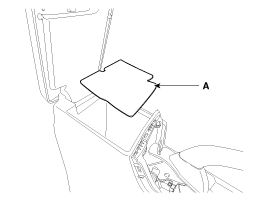
Remove the console tray mat (A).
|
| 7. |
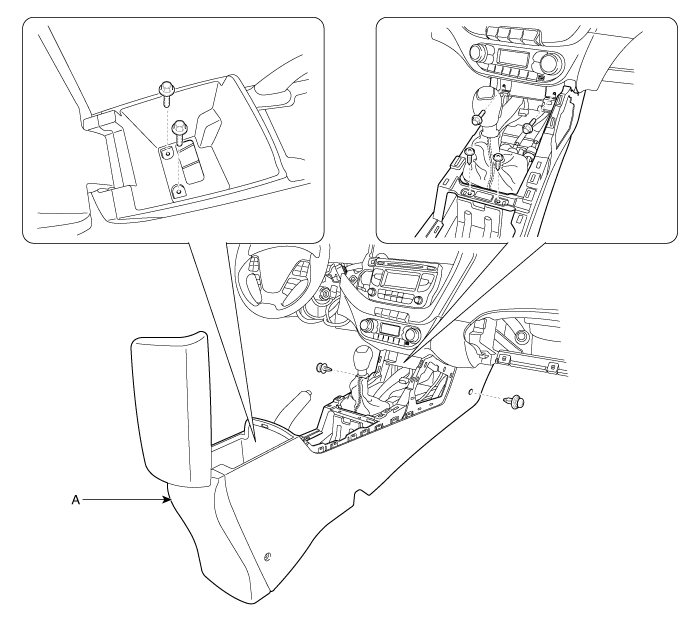
After loosening the mounting screws, bolts, clips, then remove the floor
console assembly (A).
|
| 8. |
Install in the reverse order of removal.
|

|
|
| 1. |
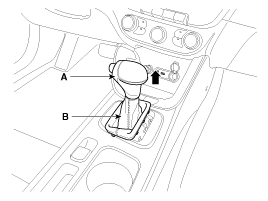
Remove the gear boots (B) and gear knob (A).
|
| 2. |
Using a screwdriver or remover, remove the console garnish (A).
[LH]
[RH]
|
| 3. |
Using a screwdriver or remover, remove the console upper cover (A).
|
| 4. |
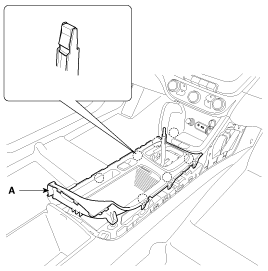
Disconnect the indicator connector (A).
|
| 5. |
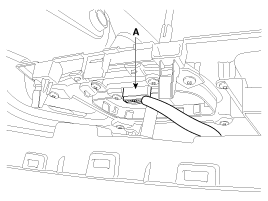
Disconnect the EPB switch connector (A).
|
| 6. |
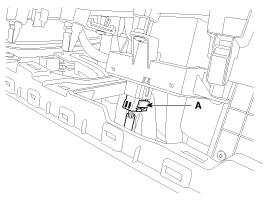
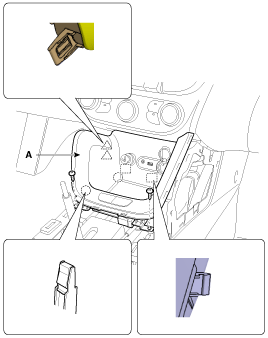
After loosening the mounting screws, then remove the console tray (A).
|
| 7. |
Disconnect the connectors (A).
|
| 8. |
Remove the console tray mat (A).
|
| 9. |
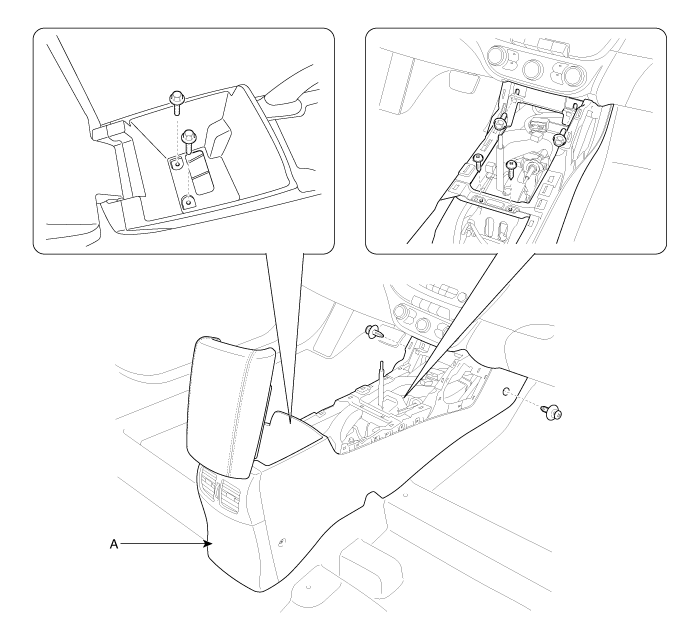
After loosening the mounting screws, bolts, clips, then remove the floor
console assembly (A).
|
| 10. |
Install in the reverse order of removal.
|
 Floor Console Assembly Components and components location
Component Location
1. Floor console assembly
...
 Rear Console Cover Components and components location
Component Location
1. Rear console cover
...
Other information:
Kia Cee'd JD Service Manual: Side Impact Sensor (SIS) Description and operation
Description
The Side Impact Sensor (SIS) system consists of two front SIS which are installed
inside the Center Pillar (LH and RH). They are remote sensors that detect acceleration
due to collision at their mounting locations. The primary purpose of the Side
Impact Sensor (S ...
: AM/FM Radio
AM/FM Radio Limitations
The further you travel from an AM or FM
station, the weaker the signal and the
weaker the reception.
Hills, mountains, tall buildings, bridges,
tunnels, freeway overpasses, parking
garages, dense tree foliage and
thunderstorms can interfere with the
reception.
When you ...
